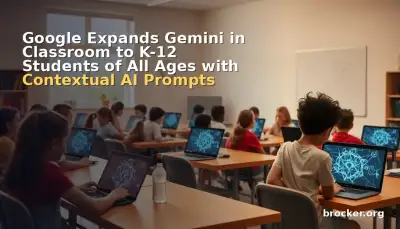
Google announced on August 4, 2026 that Gemini in Google Classroom will become available to K-12 and higher education students of all ages starting August 10, 2026, provided their school administrators have granted the necessary permissions. The expansion removes the previous age restriction that limited student access to those 18 and older, bringing generative AI study tools directly into the Classroom interface for younger learners under supervised, admin-controlled conditions.
The update introduces contextualized starter prompts that draw on specific class and assignment data from Classroom itself, eliminating the need for students to copy context between applications. When a student selects a starter prompt, a new dialog lets them choose a class and assignment, after which Gemini incorporates the assignment title, instructions, and curriculum materials as grounding context. A companion "Learn with Gemini" entry point also appears on the redesigned Classroom homepage when students hover over assignments in the "Due Soon" section, offering guided help, study guides, practice quizzes, and flashcards derived from the course curriculum.
What's New / Specs
- Age expansion: K-12 and higher education students of all ages gain access starting August 10, 2026 (web) and August 17, 2026 (mobile), rolling out over 1–3 days for feature visibility across Rapid Release and Scheduled Release domains.
- Contextualized starter prompts: Students select a class and assignment; Gemini receives the assignment title, instructions, and attached materials as context, producing tailored flashcards, practice quizzes, and study guidance grounded in that specific coursework.
- "Learn with Gemini" homepage integration: On the redesigned Classroom homepage, hovering over any "Due Soon" assignment reveals a "Learn with Gemini" action that generates study guides, quizzes, and flashcards from the curriculum.
- Gemini Notebook sync: Students with Gemini Notebook access (formerly NotebookLM) can sync teacher-provided materials to create interactive study guides, audio overviews, infographics, and personal class notebooks that stay synced as the course progresses.
- Admin controls: Gemini in Classroom tab is On by default for teachers and students of all ages, governed by the Gemini in Classroom control. Admins can disable for specific organizational units (OUs), such as an OU containing only users under 18. Student access requires: Student role in Classroom, Gemini in Classroom set to On for their group/OU, and either Gemini Notebook or Gemini app set to On (both not required).
- Availability: All Google Workspace for Education editions (Fundamentals, Standard, Plus) globally in all Classroom-supported languages where Gemini is also available.
- Privacy and safety: Enterprise-grade privacy; student data is not reviewed by humans or used to train AI models. Google advises students to always review and refine AI-generated outputs before use.
The contextual prompt system represents a significant workflow improvement over the previous generic starter tiles. Instead of prompting students to manually describe their assignment or paste text, the new dialog pulls structured metadata directly from Classroom — assignment title, instructions, and attached curriculum materials — and injects it into the Gemini prompt. This reduces friction and improves relevance, especially for younger students who may struggle to articulate what help they need. The "Learn with Gemini" hover action on the homepage further shortens the path from seeing an upcoming deadline to receiving AI-assisted preparation.
Gemini Notebook integration extends the utility beyond single-session Q&A. By syncing class materials into a persistent notebook, students can build cumulative study guides, generate podcast-style audio overviews for review on the go, and create visual diagrams that update as new materials are added. The notebook remains tied to the specific Classroom course, so progress carries forward across the term. Google notes that users do not need both the Gemini app and Gemini Notebook enabled; either one suffices to surface the Gemini tab, though feature depth varies with which services are active.
Why It Matters
Bringing generative AI to K-12 students at scale marks a pivotal shift in how educational technology is deployed. Until now, most school-focused AI tools targeted teachers — lesson planning, quiz generation, differentiation — while student-facing AI remained either restricted to higher education or confined to standalone chat interfaces that lacked curricular context. By embedding Gemini inside Classroom and grounding it in the actual assignments and materials teachers post, Google is positioning AI as a contextual study companion rather than a general-purpose chatbot.
The admin-controlled rollout addresses a core concern for districts: compliance with student privacy laws (COPPA, FERPA, state equivalents) and local policy. The default-on stance for all ages may surprise some administrators who expected an opt-in model, but the granular OU-based controls allow districts to restrict access for specific grade bands or pilot groups. The requirement that students hold the "Student" role in Classroom and that admins explicitly enable Gemini in Classroom plus at least one of Gemini app or Gemini Notebook creates a multi-layer gate that prevents accidental exposure.
From a competitive standpoint, the move pressures other LMS and productivity suites to offer similarly integrated, curriculum-aware AI for students. Microsoft's Copilot for Education and various LMS plugins have largely focused on instructor workflows; Google's student-first, assignment-grounded approach could set a new baseline expectation. The inclusion of audio overviews and visual diagrams via Gemini Notebook also signals a multimodal direction that aligns with diverse learning needs and accessibility goals.
Pricing remains tied to existing Workspace for Education licenses — no separate per-student AI fee is introduced. This bundling strategy lowers the barrier for adoption but also means districts already on Fundamentals, Standard, or Plus can activate the features without budget renegotiation. The rollout timeline (web first, mobile a week later) reflects the complexity of delivering the contextual prompt dialog and homepage integration across platforms while maintaining parity.
Our Take
The expansion is a logical evolution of Google's education AI strategy: start with teachers, prove the platform, then extend to students with tighter curricular integration. The contextual prompt design is the standout feature — it solves the "blank page" problem for students who don't know how to ask an AI for help with a specific assignment. By automating context injection, Google reduces prompt engineering to a single click, which is essential for younger users and equitable access.
However, the default-on posture for all ages warrants scrutiny. While admins have the tools to restrict access, many districts lack dedicated Google Workspace expertise and may not realize the feature is active until students encounter it. Google's Help Center guidance and the ability to create age-based OUs mitigate this, but the onus remains on IT staff to act. The company's emphasis on reviewing AI outputs is appropriate, yet the practical burden of teaching students — especially elementary — to critically evaluate generated flashcards or quiz questions is non-trivial. Professional development for teachers on how to frame AI-assisted study as a supplement, not a shortcut, will determine whether this improves learning or becomes a homework bypass.
The multimodal notebook capabilities (audio overviews, infographics) are promising for differentiation and accessibility, but their quality at scale is unproven. Early NotebookLM demos showed strong synthesis for dense documents; performance on fragmented Classroom materials — slides, PDFs, scattered Drive links — will vary. Districts should pilot with a subset of courses before full deployment. Overall, this is a substantial feature drop that moves student-facing AI from novelty to infrastructure, and its impact will hinge on implementation discipline at the district level.
FAQ
When exactly can students start using Gemini in Classroom?
The rollout begins August 10, 2026 on the web and August 17, 2026 on mobile for both Rapid Release and Scheduled Release domains. Full feature visibility may take 1–3 days after the start date.
What permissions does a student need to see the Gemini tab?
The student must have the "Student" role in Classroom, belong to a group or organizational unit where Gemini in Classroom is set to On, and have either Gemini Notebook or the Gemini app (or both) enabled for that same group/OU by the admin.
Can a district disable Gemini for students under 18 while keeping it for older students?
Yes. Admins can create an organizational unit containing only users under 18 and turn off Gemini in Classroom for that OU, leaving it enabled for other OUs.
Does the student need both Gemini app and Gemini Notebook to use the features?
No. Either Gemini app or Gemini Notebook set to On is sufficient for the Gemini tab to appear. However, specific capabilities — such as audio overviews and interactive visual diagrams — require Gemini Notebook access.
Is there any additional cost beyond the existing Workspace for Education license?
No. Gemini in Classroom is included with all Google Workspace for Education editions (Fundamentals, Standard, and Plus) at no extra charge.
Sources
- Google Workspace Updates: Gemini in Google Classroom expanding to users of all ages
- AIbase: Google Classroom Gemini Now Open to All Age Groups of Students
- AutoGPT: Google Is Putting Gemini in Front of Every K-12 Student Next Week
- The Verge: Google is bringing Gemini in Classroom to K-12 students
- Google Classroom Help: Learn about Gemini in Google Classroom